Resource Users
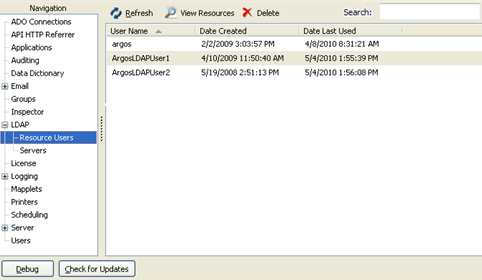
The Resource Users screen allows you to view the LDAP users who have created resources in the MAPS applications. Resources include Argos shortcuts, dashboards, and scheduled reports.
Select the LDAP user name in the list provided and either double-click, press Enter, click the View Resources button, or right-click to select View Resources. If you elect to delete an LDAP group user, you will be reminded of what resources may be lost (such as report schedules).
The Resource Users screen will appear showing the resources that have been created by, or allocated to the user.